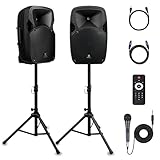
 PRORECK Party 12 Powered PA System
 Amazon Basics 46,000 BTU Patio Heater
 DazzlingStage Wireless Battery Uplights (6)
Wedding budgets fail for one simple reason: couples lose track of what they've spent versus what they've committed to spend. A spreadsheet in your head doesn't work. A simple list doesn't show the full picture. And generic budgeting apps weren't designed for the unique financial complexity of wedding planning.
Our wedding budget spreadsheet solves this problem with a purpose-built tracking system that handles the specific challenges of wedding finances—deposits split months apart, multiple vendors in the same category, percentage allocations that need to flex, and the constant tension between dreaming big and staying realistic.
This isn't just a list of categories. It's a complete financial management system designed by wedding planners and used by thousands of couples to stay on budget without the spreadsheet stress.
Where couples actually cut the cost
Decor is the line item with the widest gap between hiring it and doing it yourself. These are the four that move the budget most, and all of them can be resold afterwards.
 Efavormart 8 ft Gold Hexagonal Arch
Heavy-duty metal, rated 100 lbs, reusable or resellable after the day
See it on Amazon →
Efavormart 8 ft Gold Hexagonal Arch
Heavy-duty metal, rated 100 lbs, reusable or resellable after the day
See it on Amazon →
 LUNSY LED Par Uplights (6 Pack)
Uplighting is the single biggest visual upgrade per dollar at a venue
See it on Amazon →
LUNSY LED Par Uplights (6 Pack)
Uplighting is the single biggest visual upgrade per dollar at a venue
See it on Amazon →
 3D White Rose Flower Wall Panels (12 Pack)
Covers a full backdrop for a fraction of a florist's install
See it on Amazon →
3D White Rose Flower Wall Panels (12 Pack)
Covers a full backdrop for a fraction of a florist's install
See it on Amazon →
 White Chiffon Arch Draping, 20 ft
The fabric that makes a bare rented arch look finished
See it on Amazon →
White Chiffon Arch Draping, 20 ft
The fabric that makes a bare rented arch look finished
See it on Amazon →
As an Amazon Associate, we earn from qualifying purchases. Prices and availability change; check before you buy.
What's Inside This Wedding Budget Spreadsheet
Every wedding involves dozens of financial transactions spread across 12-18 months of planning. Our spreadsheet organizes this complexity into a system that actually works, with built-in formulas that do the math so you don't have to.
50+ Budget Categories
Every vendor type and expense covered, from venue deposits to day-of tips, organized by category for easy tracking.
Automatic Calculations
Formulas update totals, remaining budget, and variance automatically. No manual math required.
Payment Tracking
Track deposits, payment dates, final payments, and outstanding balances for every vendor.
Dashboard Summary
Visual overview showing budget vs. actual, category breakdowns, and remaining funds at a glance.
Fully Customizable
Add, remove, or rename categories. Adjust percentage allocations. Make it work for your specific wedding.
Mobile Accessible
Works with Google Sheets for on-the-go updates. Log vendor payments right from venue tours.
Spreadsheet Preview: See What You're Getting
Before downloading, here's a preview of the categories and structure included in the spreadsheet. Each row tracks a specific expense with columns for budgeted amount, actual cost, deposit paid, balance due, and payment dates.
| Category | Line Item | Budgeted | Actual | Deposit | Balance |
|---|---|---|---|---|---|
| Venue | Ceremony Site | $3,000 | $2,800 | $1,400 | $1,400 |
| Venue | Reception Site | $8,000 | $8,500 | $2,500 | $6,000 |
| Catering | Food Service | $12,000 | $11,400 | $3,000 | $8,400 |
| Catering | Bar/Beverages | $3,500 | $3,800 | $0 | $3,800 |
| Photography | Photographer | $4,000 | $4,200 | $1,000 | $3,200 |
| Florals | Bridal Bouquet | $250 | $275 | $0 | $275 |
| Florals | Centerpieces | $1,500 | $1,650 | $400 | $1,250 |
How to Use This Wedding Budget Template
Getting value from this spreadsheet requires more than just downloading it. Here's how to set it up for your specific wedding and use it effectively throughout the planning process.
Step 1: Enter Your Total Budget
Start by entering your total wedding budget in the designated cell at the top of the spreadsheet. This number drives all the percentage calculations throughout the document. Be honest with yourself here—this is the actual amount you can spend, not your aspirational number. If you have $30,000 available, don't enter $25,000 hoping you'll find ways to cut costs later. That approach leads to budget overruns.
Step 2: Review the Default Allocations
The spreadsheet includes industry-standard percentage allocations for each category. For a $35,000 budget, you'll see approximately $16,000 allocated to venue and catering, $4,000 to photography, $3,000 to music and entertainment, and so on. Review these allocations against your priorities. If photography matters more than flowers to you, adjust the percentages accordingly. The spreadsheet will automatically recalculate the dollar amounts.
Step 3: Add Your Vendors
As you book vendors, enter their information in the appropriate category. Include the vendor name, contracted price, deposit amount, deposit due date, and final payment date. The spreadsheet tracks both what you've committed to spend and what you've actually paid out. This distinction matters—you might have $10,000 in remaining budget but $8,000 already committed to vendors who haven't been paid yet.
Step 4: Update After Every Transaction
The spreadsheet only works if you keep it current. Every time you pay a deposit, make a final payment, or add a new expense, update the spreadsheet. The dashboard summary will show you exactly where you stand—how much you've budgeted, how much you've spent, how much is committed but unpaid, and how much remains available for uncommitted expenses.
Step 5: Review Weekly During Active Planning
Budget awareness prevents budget disasters. Set aside 15 minutes each week to review your spreadsheet. Look at upcoming payment dates so nothing catches you by surprise. Check your variance column to see which categories are running over or under. Use this information to make informed decisions about remaining expenses.
Why This Spreadsheet Works Better Than Apps
Wedding planning apps like Zola, The Knot, and WeddingWire all include budget trackers. So why use a spreadsheet instead? Several reasons make spreadsheets the preferred choice for serious budget management.
Complete control over your data. With app-based trackers, your budget information lives on someone else's servers. If the app shuts down, changes features, or has technical problems, you lose access. A spreadsheet is yours forever. Export it, back it up, share it with your partner or parents—you're never locked into one platform.
No vendor recommendations influencing your view. Wedding planning apps make money by recommending vendors. Their budget tools subtly encourage you to use their marketplace. A spreadsheet has no agenda—it just shows you the numbers.
Customization that actually works. Apps offer limited categories and minimal flexibility. What if you need to track multiple photographers for your engagement shoot, wedding day, and day-after session separately? What if you want to track who's paying for what when parents are contributing? A spreadsheet lets you add exactly the columns and rows you need.
Formulas you can verify. When an app tells you that you're under budget, do you know how it calculated that? With a spreadsheet, you can see and verify every formula. You understand exactly what the numbers mean because you can see how they're calculated.
Budget Categories Included
The spreadsheet organizes expenses into logical categories that match how wedding vendors are structured. Here's what's covered:
Venue & Catering (45-50%)
- Ceremony site rental or fee
- Reception venue rental
- Catering (per-person food cost)
- Bar and beverages
- Service charges and gratuities
- Rentals (tables, chairs, linens, glassware)
- Valet or parking services
Photography & Videography (10-12%)
- Lead photographer
- Second photographer
- Engagement session
- Videographer
- Album and prints
Music & Entertainment (8-10%)
- Ceremony music
- Cocktail hour entertainment
- Reception DJ or band
- Photo booth or activities
Florals & Decor (8-10%)
- Bridal bouquet
- Bridesmaid bouquets
- Boutonnieres and corsages
- Ceremony florals
- Reception centerpieces
- Additional decor and rentals
Attire & Beauty (5-8%)
- Wedding dress
- Alterations
- Accessories (veil, jewelry, shoes)
- Suit or tuxedo
- Hair styling
- Makeup
Additional Categories
- Invitations and stationery
- Wedding cake and desserts
- Transportation
- Officiant fees
- Wedding bands
- Day-of coordination
- Favors and gifts
- Emergency fund and tips
Tips for Staying on Budget
Having a spreadsheet is the first step. Using it effectively is what keeps you on budget. Here are strategies from couples who successfully managed their wedding finances.
Track estimates separately from actuals. When you're shopping for photographers and get quotes ranging from $3,500 to $5,500, don't enter a number until you've booked. Keep a separate notes section for estimates and ranges. Only enter actual figures once you have a signed contract.
Build in a buffer. The smartest couples budget 5-10% of their total as a contingency fund. This isn't a slush fund for upgrades—it's protection against inevitable cost increases, tips you forgot to budget, and day-of emergencies. If you don't use it, great. If you do need it, you'll be grateful it exists.
Distinguish wants from needs. Every category has a minimum functional amount and a "nice to have" upgrade level. Your spreadsheet should reflect what you actually need first. Only add upgrades after all essentials are funded.
Pay attention to the variance column. The spreadsheet shows you which categories are over budget and which are under. When flowers come in $300 over, you need to find $300 elsewhere. Make these adjustments actively rather than hoping it works out in the end.
Want the Complete Planning Toolkit?
Love this free spreadsheet? The Ultimate Wedding Planning Kit includes the Pro version with 100+ categories plus 10 additional templates — checklists, vendor negotiation scripts, contract review guides, guest list manager, and more.
$29 — 11 templates, one download
View Ultimate Planning KitFrequently Asked Questions
The spreadsheet includes 50+ budget categories organized by vendor type, automatic calculations for totals and remaining budget, payment tracking with due dates, deposit and final payment columns, variance analysis showing over/under budget, and a dashboard summary. It's designed to handle the specific complexity of wedding finances.
Yes, the spreadsheet is fully customizable. You can add or remove categories, adjust allocated percentages, add your own vendor names, and modify formulas to match your specific wedding needs. All formulas are visible and editable, so you can make the spreadsheet work exactly how you want.
Yes, the template works with both Microsoft Excel and Google Sheets. For Google Sheets, simply upload the file and it will automatically convert. All formulas and formatting are preserved. Google Sheets is particularly useful for sharing with your partner, parents, or wedding planner for real-time collaboration.
Each category has columns for deposit amount, deposit date, final payment amount, and final payment date. The spreadsheet automatically calculates remaining balance and updates your available budget in real-time. You'll always know exactly what you've paid, what you owe, and when payments are due.
The template uses industry-standard allocations: Venue/Catering 45-50%, Photography/Video 10-12%, Music/Entertainment 8-10%, Flowers/Decor 8-10%, Attire 5-8%, and other categories. These percentages are based on national averages but can be fully customized based on your priorities.
Ready to Take Control of Your Wedding Budget?
Download the spreadsheet and start tracking today. Every dollar accounted for is stress you don't have to carry.